Table of Content
Introduction
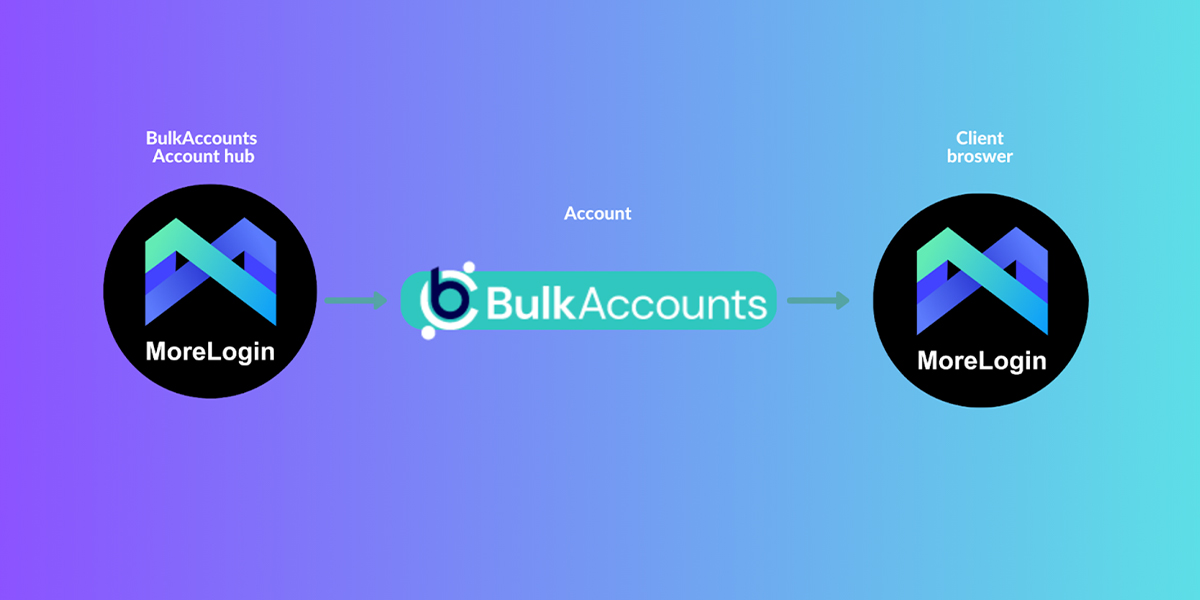
BulkAccounts using MoreLogin antidtect browser for account management. MoreLogin solves the problem of secure multiple account management. By creating thousands of browser profiles on a single computer, users can securely log into their accounts. Each profile acts like a new physical device, reducing the risk of account suspension. Besides, it offers features for team collaboration, allowing multiple team members to manage accounts. It provides flexible permission management and shared configurations.
MoreLogin provide a perfect solution for account sharing. we can seamlessly transfer your account from our MoreLogin to yours with browser enviroment. This is really simple and secure!
1 - Sign up
- Download the latest version MoreLogin and install.
- Create an account here
2- Buy an Account
- Choose a product that you want to buy here
- Click "add to cart" button and Complete the purchase
- Contact with sales team in any convenient way
3 - Request for Sharing
- Contact with sales team
- Send us info about account that we need to transfer (email, phone number, BulkAccount register account )
- Send us email of your MoreLogin Account
- Wait for the confirmation and start using the account!
Tips: We will share cookies and email password to you, if we have the IP address we would suggest you use that Ip.
And you can also use MoreLogin to invite your team member to manage the account without leaking password.
Tip: After the purchase we will be sharing all the details you need so that you always can login the account via email + password or cookies.
➤ BulkAccount Store: bulkaccounts.com
➤ MoreLogin Browser: morelogin.com
➤ Join Telegram: @MoreLoginGroup